 Previous
Next
Previous
Next


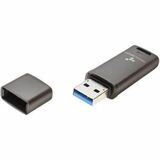
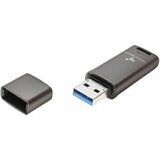
DataLocker DL GO 4GB (Usb 3.2 (gen 1) type a + Usb 3.0 + Usb 3.1) Flash Drive - 4 GB - USB 3.2 (Gen 1) Type A, USB 3.0, USB 3.1 - 160 MB/s Read Speed - 15 MB/s Write Speed - 256-bit AES-XTS - 5 Year Warranty - TAA Compliant (DLGO-004)
DataLocker DL GO 4GB (Usb 3.2 (gen 1) type a + Usb 3.0 + Usb 3.1) Flash Drive - 4 GB - USB 3.2 (Gen 1) Type A, USB 3.0, USB 3.1 - 160 MB/s Read Speed - 15 MB/s Write Speed - 256-bit AES-XTS - 5 Year Warranty - TAA Compliant (DLGO-004)
Part Number: DLGO-004
Condition: New
Availability: 20
Real time availability 

Best of Cleveland Award in the Computers category

Compsource is honored to be named to the Inc. 500|5000 list

Ranked among the top 500 companies

Microsoft authorized Education reseller

HP Qualified Supplies Partner

BBB Accredited Business Since 2000



- Shipping Insurance
- Price Match Guarantee
- Terms of Service Guarantee
- Identity Theft Protection
Product Specifications
DataLocker DL GO 4GB (Usb 3.2 (gen 1) type a + Usb 3.0 + Usb 3.1) Flash Drive - 4 GB - USB 3.2 (Gen 1) Type A, USB 3.0, USB 3.1 - 160 MB/s Read Speed - 15 MB/s Write Speed - 256-bit AES-XTS - 5 Year Warranty - TAA Compliant (DLGO-004)
4GB DLGO Encrypted Flash Drive
Manufacturer Part Number: DLGO-004
4GB DataLocker DL GO Password-Protected, Encrypted USB-A Flash Drive, AES FIPS 197 Optionally Managed FIPS 197 Certified - Hardware-based AES 256-bit XTS mode encryption, IP68: Tamper-evident seal and waterproof up to 6.5ft, Optional Biometric Authentication, and Remotely Manage with SafeConsole Enterprise or MySafeConsole
MANUFACTURER NAME: Datalocker
MANUFACTURER PART NUMBER: DLGO-004
UPC EAN CODE: 850051492077
LANGUAGE: EN
MARKET:US
| General Information: | |
AFFORDABLE SECURITY FOR ORGANIZATIONS THAT DEMAND COMPLIANCE & PROTECTION The DL GO is an affordable and secure USB flash drive designed for organizations needing to protect their data while meeting compliance requirements. It uses hardware-based encryption and can be unlocked with host-based biometric security. This device offers strong encryption, easy authentication, and helps you comply with strict data security rules. For added control, DL GO can be centrally managed with MySafeConsole (for individuals and small teams) or SafeConsole (for larger organizations), making it easy to enforce policies, track devices, and strengthen security across your organization. BIOMETRIC CONVENIENCE WITH OPTIONAL MFA Unlock fast with your computer's built-in biometrics (Windows Hello, Touch ID)-no extra hardware or passwords required. Stronger Protection: When needed, turn on optional MFA by pairing the hardware-bound security key with your biometric or PIN to meet MFA policies. Seamless Access: Log in with facial recognition or fingerprint scanning. No separate password entry is required for everyday use or user password management. There are no lost passwords or PINs risking data loss. Faster Authentication: Automatic setup for instant, hassle-free access boosts user productivity and lowers operational costs. COMPATIBILITY | Windows Hello: Works across Windows devices (laptops, desktops, tablets) and supports PIN authentication. Touch ID: Enables fingerprint-based authentication on Mac devices for secure and fast access. THE DL GO | HARDWARE-BASED AES 256-BIT XTS ENCRYPTION
CERTIFICATIONS & COMPLIANCE DL GO is built to meet the highest regulatory standards, making it ideal for compliancedriven industries.
BUILT FOR DURABILITY & RELIABILITY
| |
| Manufacturer | DataLocker |
| Manufacturer Part Number | DLGO-004 |
| Manufacturer Website Address | http://datalocker.com |
| Brand Name | DataLocker |
| Product Model | DL GO |
| Product Name | DL GO 4GB (Usb 3.2 (gen 1) type a + Usb 3.0 + Usb 3.1) Flash Drive |
| Product Type | Flash Drive |
| Product UPC | 850051492077 |
| Technical Information: | |
| Storage Capacity | 4 GB |
| Maximum Read Speed | 160 MB/s |
| Maximum Write Speed | 15 MB/s |
| Encryption Standard | 256-bit AES-XTS |
| Features | Hardware Encryption
Face Recognition Fingerprint Reader Secure Password Protection Read-only Mode Dust Proof Water Proof Portable Rugged Casing Tough Epoxy Coating Remote Management Ready Touch ID |
| Interfaces/Ports: | |
| Host Interface | USB 3.2 (Gen 1) Type A
USB 3.0 USB 3.1 |
| Physical Characteristics: | |
| Rugged | Yes |
| Width | 0.7" |
| Length | 2.2" |
| Weight (Approximate) | 0.917 oz |
| Miscellaneous: | |
| Environmental Compliance | Waste Electrical and Electronic Equipment Directive (WEEE)
Restriction of Hazardous Substances (RoHS) |
| TAA Compliant | Yes |
| Warranty: | |
| Warranty | 5 Year |
Questions and Answers
Questions and Answers | Ask CompSource |
Shipping / Returns
Shipping
Ground =
$12.95
(EST. Arrival Date between
Thu.Apr.23 - Tue.Apr.28)
Two Day Air = $25.00
(EST. Arrival Date on Thu.Apr.23)
Priority = $45.00
(EST. arrival Date on Wed.Apr.22 in the AM)
U.S Mail Priority (AA,AE,AP only) = $30.00
FedEx International Economy (Canada only) = $85.00
Shipping dates are best estimates based on product location and may vary with holidays.
If product requires trucking, additional fees may apply.
* Some destinations are subject to Applicable State/Duty Taxes
Returns
CompSource realizes that every product may have different return guidelines. Please see the policy below regarding this item.
*** No returns allowed on this item ***
For support on this product, please contact Datalocker.
Datalocker Company's Information

Click Datalocker for all products
Accessories


Product Reviews
Overall Rating | Write a Review
|
|
Best Sellers
More Best Sellers




Recently Viewed




Learn more about Flash Drives
Everything You Want to Know About Hard Drives.
Understanding hard drive basics will help you make better storage decisions.What's a Hard Drive Do?
A hard drive is the hardware component that stores all of your digital content. Your documents, pictures, music, videos, programs, application preferences, and operating system represent digital content stored on a hard drive. Hard drives can be external or internal.
Everything stored on a hard drive is measured in terms of its file size. Documents (text) are generally very small whereas pictures are large, music is even larger, and videos are by far the biggest. A hard drive determines the size of digital files in terms of megabytes (MB), gigabytes (GB), and terabytes (TB).
There are 3 major versions of hard drive technologies. All of them have pros and cons and reasons for owning each versions;
Standard Hard Drives
- This is an older technology but has continued to evolve in speed and reliability. Basically the technology is like a record player except the platters are metal instead of vinyl and the needle is magnetic allowing you to read, write and erase. The faster the hard drive spins, or RPM, the faster the read and write happens.
Pros -- Cheapest per GB, very reliable and easily replaceable.
Cons -- Much slower than newer technologies.
Solid State or SSD Drives
- Solid State is basically a form of memory that can be written to and the data will stay saved even with the power off!
Pros -- Very Fast read/write, no moving parts so it is quiet and in theory should last longer, less heat and energy.
Cons -- Price per GB is more expensive than Standard HDD.
M.2 Drives
- An M.2 SSD is a solid-state drive (SSD) that conforms to a computer industry specification written for internally mounted storage expansion cards of a small form factor. Shaped like a stick of gum. Most M.2 SSDs are 80 x 22mm (L x W), but they can be shorter or longer. You can tell what size an M.2 SSD is by reading the four or five-digit number in its name: the first two numbers are its width, while the others are its length (example: M.2 Type-2280).
Pros -- Small for factor and SPEED,!!! M.2 card can use either the existing SATA 3.0 specifications and be restricted to the 600MB/s or it could instead elect to use PCI-Express that provides a bandwidth of 1GB/s under the current PCI-Express 3.0 standards.
Cons -- Compatibility, since this is an internal storage device your motherboard must be newer and include the proper slot(s) to accommodate this storage technology.
Hybrid Hard Drives
- A Hybrid Hard Drive may be the best of both worlds. In a Hybrid Drive you have both SSD and Platter or Standard Hard Drives included in one device. Typically you have a smaller SSD Drive coupled with a larger HDD. You have the low price per GB of an HDD and the speed of an SSD. This type of drive is a great choice for SMB workstations all the way to gaming machines.
Pros -- Best overall value for the dollar as well as speed ratio.
Cons -- Can add a level of complexity to some users as you basically have 2 drives in one and will have to be aware of what drive you will save data vs programs to.
If you have an older Computer or notebook consider the SSD option as it will make your system feel new again with this faster storage technology.
Internal vs. External or Portable Hard Drives
External desktop hard drives are built using a drive and require an AC adapter plugged into a power outlet. These drives are a good choice for supplementing a desktop computer or plugging into a laptop's home base, and typically can extend your need to upgrade your hard drive or more importantly it can be used as a backup drive. As the saying goes "It's not if, but when something fails!" Please Backup...CompSource wants this to be as easy and stress-free as possible.
We're here to help you decide. Chat with us or give our professionals a quick phone call (800)-413-7361, we can assist with the best solution for your needs and budget.
Thank you guys so much. The hard drive arrived this morning and I will wrap it and have one very happy son-in-law on Christmas morning. I appreciate all your help in getting this here in time. grammeoMore Reviews