
 Previous
Next
Previous
Next


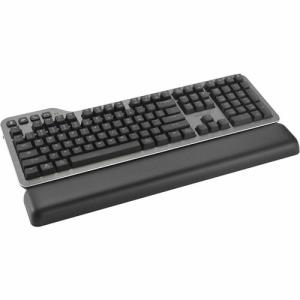
Microsoft Surface Pro Flex Keyboard - Black - Wireless Connectivity - Bluetooth - 32.81 ft - CoPilot Hot Key(s), Mute Hot Key(s), Snipping Hot Key(s), Screen Brightness Hot Key(s), Windows Key Hot Key(s), Media Control Hot Key(s) - Windows 11 - Table (ZQZ-00001)
Microsoft Surface Pro Flex Keyboard - Black - Wireless Connectivity - Bluetooth - 32.81 ft - CoPilot Hot Key(s), Mute Hot Key(s), Snipping Hot Key(s), Screen Brightness Hot Key(s), Windows Key Hot Key(s), Media Control Hot Key(s) - Windows 11 - Table (ZQZ-00001)
Part Number: ZQZ-00001
Condition: New
Availability:
Out of stock
Real time availability 
Notify Me

Best of Cleveland Award in the Computers category

Compsource is honored to be named to the Inc. 500|5000 list

Ranked among the top 500 companies

Microsoft authorized Education reseller

HP Qualified Supplies Partner

BBB Accredited Business Since 2000



- Shipping Insurance
- Price Match Guarantee
- Terms of Service Guarantee
- Identity Theft Protection
Product Specifications
Microsoft Surface Pro Flex Keyboard - Black - Wireless Connectivity - Bluetooth - 32.81 ft - CoPilot Hot Key(s), Mute Hot Key(s), Snipping Hot Key(s), Screen Brightness Hot Key(s), Windows Key Hot Key(s), Media Control Hot Key(s) - Windows 11 - Table (ZQZ-00001)
MICROSOFT SURFACE PRO FLEX SYST - KEYBOARD
Manufacturer Part Number: ZQZ-00001
MANUFACTURER NAME: Microsoft
MANUFACTURER PART NUMBER: ZQZ-00001
UPC EAN CODE: 196388334858
LANGUAGE: EN
MARKET:US
| General Information: | |
Unrivaled comfort, ultimate flexibility | Effortless pairing Transition seamlessly between attached and detached use with effortless pairing ready to go the first time you use it. Adapt to any location Whether you're working from a cramped airplane seat or need to type with your keyboard in your lap, detach Surface Pro Flex Keyboard and stay in your flow. Create the ultimate productivity set up Attach this keyboard to your Pro to type as you would on a laptop, and dock Surface Pro to a monitor to create a more ergonomic workspace. Battery life that lasts Enjoy peace of mind when you use this keyboard detached with 41 hours of continuous typing.When you need to recharge, simply attach back to your device. Natural inking at your fingertips Sketch and write naturally on the screen with Surface Slim Pen, always ready and charged in the keyboard's storage tray. Best-in-class details | Spacious and responsive Enjoy increased precision and comfort with a touchpad that is 14.3% larger than previous generations. Customizable haptic touchpad Tap and create using intuitive gestures and enjoy precise control with adjustable pressure sensitivity. Type in peace and quiet Concentrate better and reduce audio distractions with a sleek and silent keyboard. Sleek, stylish design This keyboard is covered with durable Alcantara material, adding a rich texture to everyday tasks | |
| Manufacturer | Microsoft Corporation |
| Manufacturer Part Number | ZQZ-00001 |
| Manufacturer Website Address | http://www.microsoft.com |
| Brand Name | Microsoft |
| Product Line | Surface Pro Flex |
| Product Name | Surface Pro Flex Keyboard - Black |
| Product Type | Keyboard |
| Product UPC | 196388334858 |
| Keyboard/Keypad: | |
| Keyswitch Technology | Mechanical |
| Keyboard/Keypad Connectivity Technology | Wireless |
| Keyboard/Keypad Wireless Technology | Bluetooth |
| Keyboard/Keypad Wireless Operating Distance | 32.81 ft |
| Hot Keys | CoPilot
Mute Snipping Screen Brightness Windows Key Media Control |
| Backlight | Yes |
| Keyboard/Keypad Features | Accelerometer
Quiet Keys |
| Pointing Device: | |
| Pointing Device Type | TouchPad |
| Battery Information: | |
| Battery Rechargeable | Yes |
| Maximum Battery Life | 2 Day |
| Physical Characteristics: | |
| Color Family | Black |
| Product Color | Black |
| Product Material | Alcantara |
| Keyboard/Keypad Height | 0.21" |
| Keyboard/Keypad Width | 8.70" |
| Weight (Approximate) | 11.99 oz |
| Miscellaneous: | |
| Operating System Compatibility | Windows 11 |
| Platform Supported | PC |
| Device Supported | Tablet |
| Warranty: | |
| Warranty | 1 Year |
Questions and Answers
Questions and Answers | Ask CompSource |
Shipping / Returns
Shipping
Ground =
FREE
(Delivery within 2-7 business days)
Two Day Air = $25.00
(Delivery within 2 business days)
Standard One Day = $35.00
(Delivery within next business day)
Priority = $45.00
(Delivery within next business morning)
U.S Mail Priority (AA,AE,AP only) = $30.00
FedEx International Economy (Canada only) = $85.00
Typically out of stock items are filled within 1 to 14 business days but can and may take longer.
Shipping dates are best estimates based on product location and may vary with holidays.
If product requires trucking, additional fees may apply.
* Some destinations are subject to Applicable State/Duty Taxes
Returns
CompSource realizes that every product may have different return guidelines. Please see the policy below regarding this item.
This Product Has Limited Exchange Privileges.
Please call for return guidelines.
For support on this product, please contact Microsoft. 1-800-642-7676 www.microsoft.com
Microsoft Company's Information

Click Microsoft for all products
Local #: 206-882-8080
Toll Free #: 1-800-642-7676
Tech Support #: 206-635-3313
Site: www.microsoft.com
Accessories



Product Reviews
Overall Rating | Write a Review
|
|
Best Sellers
More Best Sellers


Recently Viewed



About Microsoft
Our mission is to empower every person and every organization on the planet to achieve more.
What Microsoft Value's
Innovation
Learn about innovations from our computer science research organization. With more than 1,000 researchers in our labs, it;s one of the largest in the world.
Diversity and inclusion
Explore how we maximize every person's contribution from our employees to our customers' so that the way we innovate naturally includes diverse thought.
Corporate social responsibility
See how we work to be a responsible partner to those who place their trust in us, conducting business in a way that is inclusive, transparent, and respectful of human rights.
Philanthropies
Find out how we empower people by investing technology, money, employee talent, and the company;' voice in programs that promote digital inclusion.
Environment
Discover how we lead the way in sustainability and use our technologies to minimize the impact of our operations and products.
Trustworthy Computing
Check out how we deliver secure, private, and reliable computing experiences based on sound business practices.
Check out just some of the great products CompSource carries for Microsoft;
Microsoft Office, Operating Systems, Surface notebooks and more!
Learn more about Keyboards & Keypads
Keyboards and keypads are input devices used to input characters, numbers, and commands into a computer or other electronic device. The primary difference between the two is that keyboards typically have more keys and are used for typing longer messages, while keypads have fewer keys and are often used for entering numerical data.
There are several reasons why someone might want to buy a keyboard or keypad:
Increased productivity: Using a keyboard or keypad can often be faster than using a mouse or touchpad to input data. This can lead to increased productivity, especially for tasks that involve a lot of typing or data entry.
Ergonomics: Keyboards and keypads can be designed with ergonomics in mind, which can help reduce the risk of repetitive strain injuries like carpal tunnel syndrome.
Gaming: Many computer games are designed to be played with a keyboard, and some Gaming Keyboard even have special features like backlit keys, programmable macros, and mechanical switches that can enhance the gaming experience.
Specialized applications: Keyboards and keypads can be designed for specific applications like point-of-sale systems, medical equipment, or industrial machinery. These specialized input devices can often be more efficient and accurate than using a general-purpose keyboard or mouse.
Personal preference: Some people simply prefer using a keyboard or keypad over other input devices like a mouse or touchpad.
Overall, if you spend a lot of time typing or entering data into a computer or electronic device, a keyboard or keypad can be a valuable investment that can increase your productivity, reduce the risk of injury, and improve your overall computing experience.
A computer is useless if you do not have a way to input your data into the PC. Input devices are a necessity and can assist to make you more efficient. Here are all the input devices CompSource has to offer;
Keyboards & Keypads
Pointing Devices (Mice)
Scanning Devices
Touchscreens
Keyboard & Mouse Combos
Touchscreen Overlays
Digital Writing Systems
Graphics Tablets
We want this to be as easy and stress-free as possible.
Chat with us or give our professionals a quick phone call (800)-413-7361.
The package was received today (Friday) at my home via Fedex. I haven't opened it yet but wanted to let you know that I greatly appreciate the excellent follow up and service. You will be hearing from me again as a customer and I will recommend your company to others. neilowMore Reviews